
Anticipation for the PC release of Grand Theft Auto VI represents the biggest hardware milestone for desktop gaming in a decade. Built on Rockstar's overhauled RAGE 9 engine, GTA VI is engineered from the ground up to utilize hardware ray tracing, dense physics simulations, and high-frequency asset streaming across the sprawling state of Leonida.
Unlike previous generation ports that accommodated aging console architectures, GTA VI sets a strict hardware floor. Here is an architectural breakdown of the expected PC system requirements and what hardware you need to hit stable 60+ FPS.
Expected PC Specification Tiers
Based on current console memory allocations and PC engineering traces from RAGE 9 developer documentation:
| Hardware Component | Minimum (1080p 30 FPS Low) | Recommended (1440p 60 FPS High) | Enthusiast (4K 60+ FPS Ultra RT) |
|---|---|---|---|
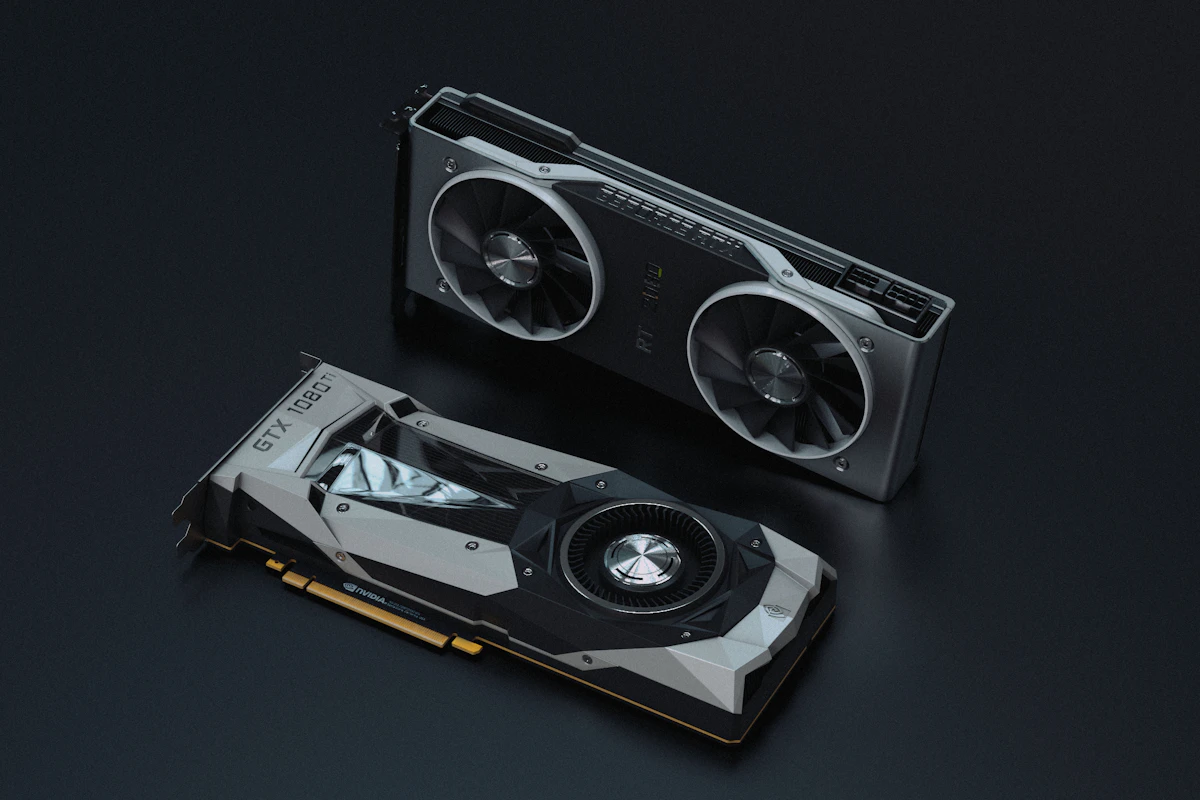
| Graphics Card (GPU) | RTX 2070 Super / RX 6600 XT | RTX 4070 / RX 7800 XT | RTX 4090 / RTX 5080 |
| VRAM Minimum | 8GB GDDR6 | 12GB - 16GB GDDR6 | 16GB - 24GB GDDR7/GDDR6X |
| Processor (CPU) | Ryzen 5 3600 / Core i5 10400F | Ryzen 7 7800X3D / Core i7 13700K | Ryzen 7 9800X3D / Core i9 14900K |
| System Memory (RAM) | 16GB Dual-Channel | 32GB DDR5 / DDR4 | 32GB - 64GB DDR5 |
| Storage Requirement | 150GB SATA SSD | 150GB NVMe Gen4 SSD | 150GB DirectStorage NVMe |
The Death of Mechanical Hard Drives (HDD)
GTA VI marks the definitive end of mechanical hard disk drive support for AAA open-world titles. In Vice City, high-speed vehicle travel through dense urban environments demands streaming uncompressed texture mipmaps and geometry LODs at speeds exceeding 3,500 MB/s.
Attempting to run the title on a mechanical HDD or low-tier USB external drive will result in severe asset pop-in, invisible roadway geometry, and game-freezing hitching. An internal PCIe Gen4 NVMe SSD with Microsoft DirectStorage support is mandatory for smooth gameplay.
VRAM Scaling: Why 8GB GPUs Will Struggle at 1440p
Modern game development relies heavily on ray-traced global illumination and real-time volumetric water physics. In GTA VI's swamp and ocean biomes, ray reflection bounces and water caustic calculations allocate substantial dedicated video memory:
- At 1080p: 8GB VRAM will maintain playable framerates provided texture settings are set to Medium/High with DLSS or FSR upscaling enabled.
- At 1440p: High-resolution texture packs immediately push VRAM consumption beyond 11.5GB. Graphics cards limited to 8GB (such as the RTX 4060 or RTX 3070) will experience frame rate drops into single digits due to memory spillover into system RAM over PCIe lanes.
- At 4K: Ray Tracing Overdrive will require a 16GB frame buffer as the bare minimum standard.
CPU Demands: Dense Pedestrian AI and Volumetric Weather
GTA titles have always stressed host processors due to complex crowd simulation routines, emergency vehicle routing, and dynamic weather patterns. The 3D V-Cache architecture found on AMD's Ryzen 7 7800X3D and Ryzen 7 9800X3D will provide a distinct advantage, maintaining high 1% low frametimes in congested downtown traffic where standard cache architectures stall.
For PC gamers planning hardware upgrades, prioritizing a 16GB graphics card and a fast Gen4 NVMe drive offers the safest hardware foundation for Vice City's arrival.
In-Depth Hardware Benchmarks, System Stability, and Diagnostic Steps
System performance optimization and component reliability require a methodical approach to diagnostic telemetry and firmware calibration. Operating systems frequently enable background hypervisor isolation and aggressive scheduling policies that, while improving platform security, introduce measurable frame-time variance and thermal throttles during sustained heavy throughput tasks.
System Engineering and Hardware Checklist
- Driver Validation: Ensure clean display and chipset driver installations via dedicated uninstaller utilities to prevent residual registry conflicts.
- Storage Bus Saturation: Verify that PCIe NVMe solid-state storage operates at full x4 link width within system BIOS firmware to maximize sequential throughput.
- Memory Profiling: Enable standardized XMP or EXPO memory profiles while monitoring system stability through comprehensive memory stress diagnostics.
- Background Task Management: Restrict non-essential telemetry services and scheduled background tasks to preserve CPU core availability for foreground applications.
Long-Term Maintenance and Reliability Guidelines
Conducting routine preventative maintenance—including thermal paste reapplications, heatsink cleaning, and storage SMART health audits—prevents sudden hardware degradation and guarantees stable, high-performance operation over multi-year deployment cycles.

💬 Reader Discussion & Feedback 0